
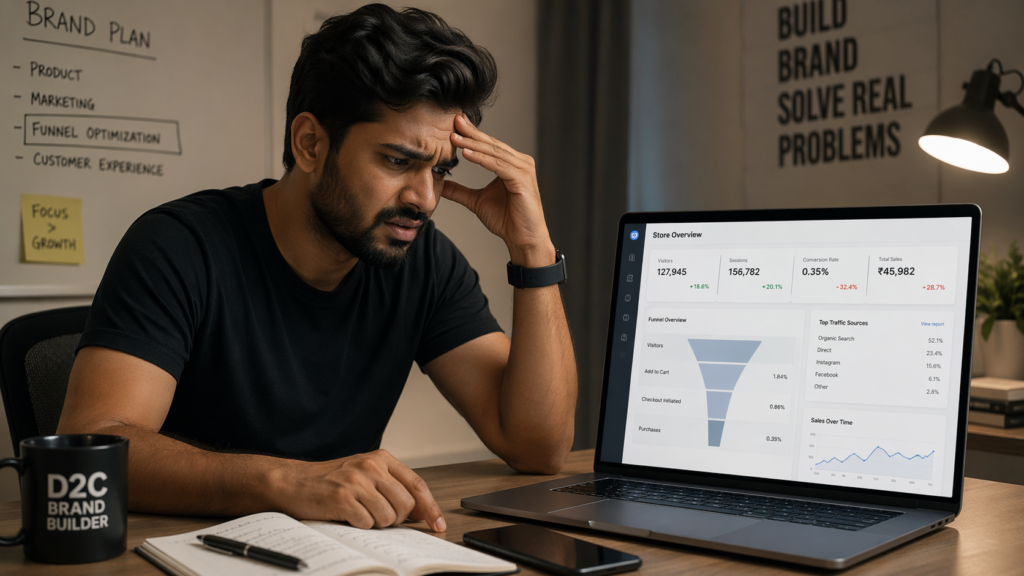
You open Google Analytics and the numbers look decent. Visitors are coming. Sessions are up. But your Shopify dashboard tells a different story — sales are inconsistent, cart abandonment is high, and you can’t figure out why people are leaving without buying.
This is one of the most common problems D2C brands in India face. And the frustrating part is that most founders spend more money on ads to drive more traffic — when the real problem is on the website itself.
Here are the six most common reasons your D2C website is getting traffic but not converting — and what to actually do about each one.
1. Your Page Load Time Is Killing You Before You Even Start
This is the number one silent killer. Research consistently shows that 53% of mobile users abandon a website that takes longer than 3 seconds to load. For D2C brands, where 70-80% of traffic comes from mobile, this is catastrophic.
A common scenario: a founder spends ₹50,000 on Meta ads. The ads perform well — clicks are coming in at ₹8-12 each. But the website loads in 6-8 seconds on mobile. By the time the page opens, 40-50% of those visitors are already gone. That’s ₹20,000-25,000 wasted before a single product page even loads.
Fix it:
Use Google PageSpeed Insights to check your score. Anything below 70 on mobile needs immediate attention. Compress your images to WebP format, defer non-critical scripts, and remove unused apps.
2. Your Product Photos Are Not Doing the Work
In a physical store, customers can touch, feel, and try products. Online, your photography is the product. If your images are poorly lit, unstyled, or lack context — visitors won’t buy.
This is especially critical for clothing and accessories. A styled product can convert 3–5x better than a flat image. For kids products, lifestyle shots perform far better.
Fix it:
Invest in one professional shoot — real models, real environments, multiple angles, and detail shots.
3. Your Product Description Describes, Not Sells
Most product descriptions read like specs:
Size, material, color.
But customers don’t buy specs — they buy outcomes.
The real question is: “Is this right for me?”
Fix it:
Rewrite using this structure:
- Start with benefit/occasion
- Describe feeling
- Then add specs
Test for 2 weeks and track conversion rate.
4. You Have No Trust Signals at the Point of Decision
Visitors don’t trust you yet. Their default state is skepticism.
Trust signals include:
- Photo reviews
- Star ratings
- Return policy
- Delivery timeline
- UGC content
Fix it:
Place these near the Add to Cart button. Even 3–5 strong reviews can boost conversions by 20–30%.
5. Your Checkout Has Too Much Friction
Common killers:
- Mandatory account creation
- Too many form fields
- Limited payment options
- Surprise costs
Indian users expect COD, UPI, and fast checkout.
Fix it:
- Enable guest checkout
- Add COD & UPI
- Reduce fields
- Show total cost upfront
6. You Are Sending Paid Traffic to the Wrong Page
Sending ad traffic to homepage = wasted money.
Users click ads with intent — match that intent.
Fix it:
- Send traffic to product page
- Or dedicated landing page
- Ensure message match
The Real Problem: Fix the Cause, Not the Symptom
More traffic ≠ more sales.
If your site doesn’t convert, you’re just increasing wasted spend.
Use analytics to identify:
- Drop-off points
- High bounce pages
- Low-converting products
Fix the system first.
Is your D2C website converting less than 2%?
Book a free 30-minute conversion audit — we’ll tell you exactly what’s wrong and what to fix first.
👉 resultiqdigital.com/free-audit